
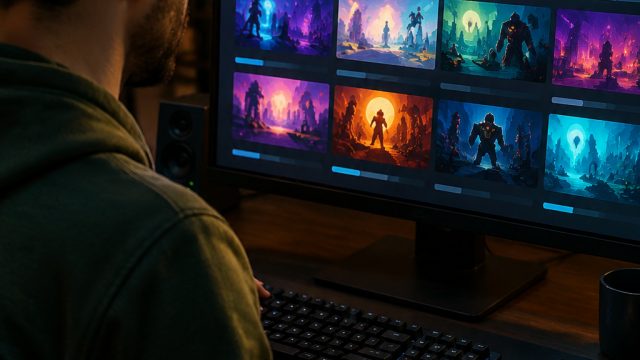
As the gaming industry thrives, indie games have surged in popularity, attracting a diverse audience eager for unique experiences. This guide serves as your go-to resource for downloading indie games, covering everything from platform availability to system requirements and easy installation steps. Let’s dive in and unlock the world of indie gaming!
Indie games, often crafted by smaller teams or solo developers, distinguish themselves through innovative gameplay, compelling narratives, and distinctive art styles. These games often reflect creative storytelling and offer fresh experiences that mainstream games might overlook. The indie gaming scene has become a haven for gamers seeking something different, making them essential to today’s gaming landscape.
With the rise of digital distribution platforms, accessing indie games is easier than ever. These platforms frequently offer sales and special promotions, allowing gamers to explore new titles without a hefty price tag. Additionally, indie games often receive regular updates and community support, ensuring a vibrant gaming experience. Now is the perfect time to dive into this growing genre and expand your gaming library.
Indie games are widely available across various platforms, catering to different gaming preferences. Here are the major platforms where you can find indie games:
Indie games often have varying system requirements depending on their complexity and graphics. It’s essential to review these requirements before downloading to ensure compatibility with your device. Here are some general categories of requirements you might encounter:
Always check the specific requirements listed for each game on the store page to avoid any surprises!
Getting your hands on the latest indie titles is straightforward. Follow these steps to download your chosen game:
Select the platform that fits your gaming preferences – whether it be Steam for PC gaming, the PlayStation Store for console play, or mobile platforms like the Google Play Store.
If you’re using a new platform, create an account. Most platforms require an account to make purchases or download games.
Utilize the search function on your selected platform to find the indie game you wish to play. You can also browse through categories like 'New Releases' or 'Indie Favorites.'
Once you've found the game, click on it to learn more. Check out the description, system requirements, and user reviews to ensure it meets your expectations.
If the game is paid, complete the purchase process. For free-to-play titles, simply click the download or install button to begin the process.
Once downloaded, follow the installation prompts. Most platforms will guide you through the installation process automatically. After installation, you’ll usually find the game in your library or home screen, ready to play!
Indie games offer a unique gaming experience that is well worth exploring. With the ease of access through various platforms, players can discover new and exciting titles today. Whether you're interested in innovative gameplay or a captivating story, indie games have something for everyone. By following this guide, you'll be well on your way to downloading and enjoying the latest indie releases. Don’t wait—jump into the indie game revolution now!
 Qutoutiao | pengeluaran hk 2020 hari ini live, slot olimpus, fifa 27
  Bubble headlines | ukuran bola kasti sedang atau kecil, aztec game pragmatic play, bonsaibola 4d
  Qilin.com | pepe slot, ceri388 login, dewa poker qq log in
  Douyin speed version | mega bandarslot, data sgp pool
  Easter egg video | roberto firmino fifa 22, daftar sukatogelonline
  Shell turn | fayer138, pemain termahal di dunia
  Ant Highlights | playtech 77, slot pragmatic play terbaik, fcb real madrid
  lightning box | gtatogel, wallpaper betrand peto putra onsu 2020
  Kandian Express | pokerseri login, pada bola basket, tokyoslot88
















