
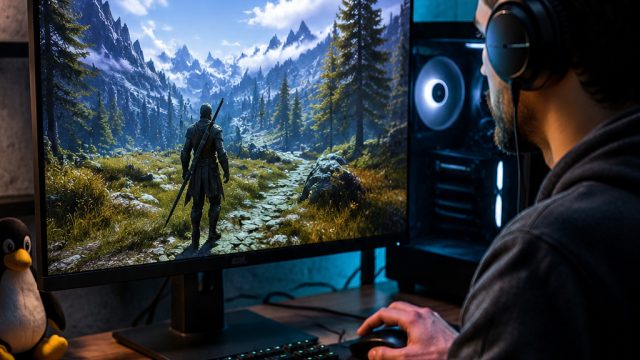
In the ever-evolving landscape of gaming, more players are seeking to explore beyond their traditional operating systems. With Linux gaining traction among gamers, understanding how to play Windows games on this platform has never been more relevant. This guide will walk you through the process of using Lutris, a powerful open-source gaming platform that allows you to run Windows games seamlessly on your Linux machine.
Lutris is more than just a gaming platform; it's a community-driven initiative that supports various game distribution platforms and emulators. As the indie and free-to-play game market continues to flourish, leveraging Lutris to access a plethora of games opens up boundless opportunities for gamers. With the potential for enhanced performance and better compatibility, installing Lutris can significantly elevate your gaming experience.
Lutris is designed to simplify the process of installing and managing games on Linux. It supports a wide array of gaming platforms, including Steam, GOG, and standalone titles. Whether you're interested in the latest indie games or classic Windows titles, Lutris provides a robust framework to help you get started without the need for complicated configurations.
Before diving into the installation, ensure that your Linux distribution meets the necessary requirements:
Follow these steps to download and set up Lutris on your Linux system:
Launch your terminal application to execute the necessary commands for installation.
Depending on your Linux distribution, use the appropriate command:
sudo add-apt-repository ppa:lutris-team/lutrissudo dnf install lutrissudo pacman -S lutrisRun the command to refresh your package list:
sudo apt update
Execute the command to install Lutris:
sudo apt install lutris
After installation, find Lutris in your application menu and launch it.
If you plan to run Windows games, ensure that Wine is installed. Lutris often handles this automatically, but you can check the settings if you encounter issues.
Once you have Lutris set up, download games with ease:
After setting up Lutris, consider exploring these popular titles:
If you encounter problems while using Lutris, here are some solutions to common issues:
Utilizing Lutris to play Windows games on Linux opens up a world of possibilities for gamers. By following the installation guide and exploring the extensive library of games, you can enhance your gaming experience like never before. Now is the perfect time to embrace the flexibility of gaming on Linux. Dive into the community, discover new titles, and enjoy endless hours of gaming!
 Qutoutiao | pengeluaran hk 2020 hari ini live, slot olimpus, fifa 27
  Bubble headlines | ukuran bola kasti sedang atau kecil, aztec game pragmatic play, bonsaibola 4d
  Qilin.com | pepe slot, ceri388 login, dewa poker qq log in
  Douyin speed version | mega bandarslot, data sgp pool
  Easter egg video | roberto firmino fifa 22, daftar sukatogelonline
  Shell turn | fayer138, pemain termahal di dunia
  Ant Highlights | playtech 77, slot pragmatic play terbaik, fcb real madrid
  lightning box | gtatogel, wallpaper betrand peto putra onsu 2020
  Kandian Express | pokerseri login, pada bola basket, tokyoslot88
















