
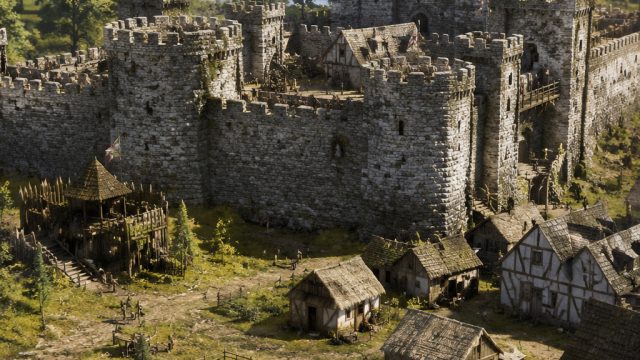
The gaming community is buzzing with excitement as Stronghold: Definitive Edition prepares to make a grand entrance. Reviving the classic strategy game, this updated version brings modern graphics and enhanced gameplay. With over 250,000 wishlists already, it's clear that players are eager to dive back into the tactical world of castle building and warfare. In this guide, we’ll walk you through everything you need to know about downloading and installing this highly anticipated title, so you can start building your empire without any hassle.
Stronghold: Definitive Edition is a remastered version of the beloved real-time strategy game that first launched in the early 2000s. The game combines resource management, castle building, and real-time battles, delivering a unique blend of strategy and action. What makes this edition special is its improved visuals and quality-of-life enhancements that cater to both new players and veterans of the series. With customizable settings and engaging campaigns, you'll find yourself immersed in the medieval world like never before.
Stronghold: Definitive Edition is available exclusively on Steam. This platform is well-known for its vast selection of games and user-friendly interface, making it an ideal choice for downloading and managing your gaming library. As the release date approaches, keep an eye on the Steam page for updates, trailers, and more.
Before you download, it's essential to ensure your system meets the necessary requirements. Here’s a breakdown of the minimum and recommended specs:
Make sure your setup aligns with these specifications to enjoy a smooth gaming experience.
Downloading Stronghold: Definitive Edition is a straightforward process. Here’s a step-by-step guide to help you get started:
If you don’t have Steam installed, visit the Steam website to download and install the client. Create an account if you don’t already have one.
Once you’re logged in, use the search bar to find Stronghold: Definitive Edition. Click on the game’s title to access its store page.
If the game is available for purchase at the time of your visit, you can buy it directly. Alternatively, if it’s not yet released, you can add it to your wishlist for updates and alerts.
To download, click the Install button. Your game will start downloading, and you can track the progress in your library.
Once installed, click Play to start your adventure in Stronghold: Definitive Edition. Enjoy building your fortress and leading your armies to victory!
As anticipation builds for the release of Stronghold: Definitive Edition, now is the perfect time to prepare for your journey back into the world of medieval strategy. By following this guide, you will be well-equipped to download and start playing the game as soon as it is available. Keep an eye on Steam for the latest news, and get ready to unleash your inner ruler!
 Qutoutiao | pengeluaran hk 2020 hari ini live, slot olimpus, fifa 27
  Bubble headlines | ukuran bola kasti sedang atau kecil, aztec game pragmatic play, bonsaibola 4d
  Qilin.com | pepe slot, ceri388 login, dewa poker qq log in
  Douyin speed version | mega bandarslot, data sgp pool
  Easter egg video | roberto firmino fifa 22, daftar sukatogelonline
  Shell turn | fayer138, pemain termahal di dunia
  Ant Highlights | playtech 77, slot pragmatic play terbaik, fcb real madrid
  lightning box | gtatogel, wallpaper betrand peto putra onsu 2020
  Kandian Express | pokerseri login, pada bola basket, tokyoslot88
















