
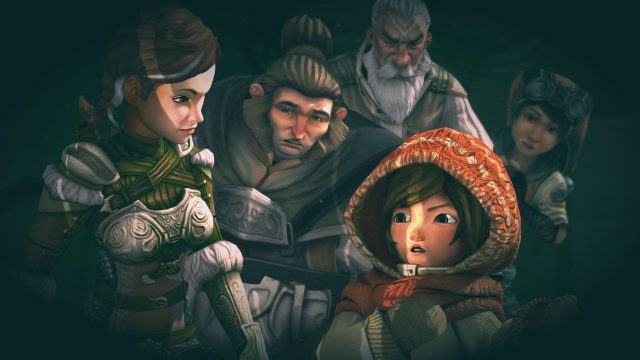
Classic adventure games have captivated players for decades with their rich narratives and immersive gameplay. Titles from developers like Daedalic Entertainment have become iconic, blending puzzles, exploration, and storytelling. These games offer a trip down memory lane, especially for those who appreciate the art and craft of game development.
Now, with many classics being offered for free, there's never been a better time to dive in. Whether you are in Southeast Asia or anywhere else, accessing these games has become easier thanks to digital platforms such as GOG. This guide will show you how to get started and what you need to enjoy these timeless titles.
Classic adventure games are primarily available on:
Before downloading a classic adventure game, ensure your system meets the necessary requirements. Most indie games are designed to run on a variety of systems, but it's always good to check. Here’s a general guideline:
Getting started with classic adventure games is easy. Follow these steps to download your favorite titles:
Decide where you want to download the game. For many classic titles, GOG is the go-to platform due to its DRM-free policy. You can search for games directly on GOG's official website.
If you don’t already have an account, you’ll need to create one. This process is quick and straightforward, requiring only an email address and a password.
Using the search bar, find the classic adventure game you want to download. For instance, titles like 'The Whispered World' or 'Deponia' are often recommended. Click on the game to view its details.
Before you click the download button, ensure your system meets the game's requirements. This will help you avoid any compatibility issues.
Since many classic adventure games are currently free, simply click the download button. If there is a price, proceed through the purchasing process.
Once your purchase is complete, click on the download link. The game will begin downloading automatically. After it’s done, locate the file and follow the installation prompts. It’s typically as easy as double-clicking the installer and following on-screen instructions.
After installation, launch the game from your desktop or within the platform’s library. Get ready to embark on an adventure filled with puzzles and exploration!
Classic adventure games provide an engaging experience that combines storytelling and gameplay, making them a timeless choice for gamers of all ages. With many of these titles available for free, there’s no reason not to explore the incredible worlds they've created. Start your adventure today by following the download steps outlined above, and immerse yourself in classic gaming from the comfort of your home.
 Qutoutiao | pengeluaran hk 2020 hari ini live, slot olimpus, fifa 27
  Bubble headlines | ukuran bola kasti sedang atau kecil, aztec game pragmatic play, bonsaibola 4d
  Qilin.com | pepe slot, ceri388 login, dewa poker qq log in
  Douyin speed version | mega bandarslot, data sgp pool
  Easter egg video | roberto firmino fifa 22, daftar sukatogelonline
  Shell turn | fayer138, pemain termahal di dunia
  Ant Highlights | playtech 77, slot pragmatic play terbaik, fcb real madrid
  lightning box | gtatogel, wallpaper betrand peto putra onsu 2020
  Kandian Express | pokerseri login, pada bola basket, tokyoslot88
















