
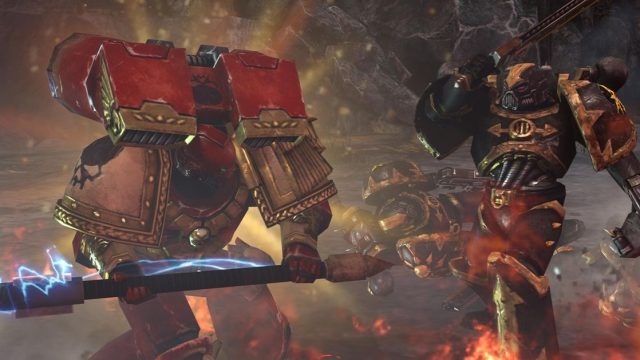
In the realm of cooperative gaming, few experiences stand out as much as Dawn of War 2’s Last Stand mode. Initially launched over a decade ago, this unique twist on real-time strategy (RTS) gameplay has maintained a loyal player base, showcasing an unparalleled blend of action, strategy, and teamwork. With its enduring popularity, now is the perfect time to dive into this classic mode and discover why it continues to be a beloved staple in the gaming community.
Dawn of War 2, developed by Relic Entertainment, is set in the expansive Warhammer 40K universe, where players command powerful factions to battle against hordes of foes. The Last Stand mode, introduced as a co-op alternative, pushes players to collaborate as they fend off waves of enemies. This survival-style gameplay emphasizes strategic planning, quick reflexes, and effective communication.
In Last Stand, players select from unique heroes, each endowed with special abilities, and must work together to withstand increasingly difficult levels of enemy assaults. The mode is characterized by its replayability, allowing teams to experiment with different strategies and hero combinations in pursuit of high scores and achievements.
Dawn of War 2’s Last Stand mode is accessible on multiple platforms, ensuring that players can enjoy this experience regardless of their preferred gaming setup. Here’s a breakdown of where you can find it:
As of now, the Last Stand mode is not available on console platforms, so PC remains the only option for avid players. Ensure you check system requirements to have the optimal gaming experience.
Before you embark on your journey in Last Stand mode, it’s crucial to verify that your system meets the necessary requirements. Below are the minimum and recommended specifications to enjoy the game to its fullest:
Make sure to check these specifications to ensure a smooth and enjoyable gaming experience. With the right setup, you’ll be ready to tackle the challenges of Last Stand.
Getting started with Dawn of War 2’s Last Stand mode is straightforward. Follow these steps to download and install the game:
The enduring popularity of Dawn of War 2’s Last Stand mode is a testament to its innovative gameplay mechanics and engaging challenges. As new players discover this classic, it breathes fresh life into the community, facilitating exciting opportunities for cooperation and competition alike. Whether you’re a veteran or a newcomer, joining a Last Stand match today offers a nostalgic yet exhilarating experience that is both rewarding and challenging.
As gaming evolves, Last Stand stands out as a remarkable example of timeless design, offering both depth and accessibility. Don’t miss out on the chance to join this vibrant community and test your skills against relentless foes.
In conclusion, Dawn of War 2’s Last Stand mode remains a significant part of the co-op gaming landscape. With its easy accessibility on platforms like Steam and GOG, robust community support, and engaging gameplay, it is an experience worth diving into today. Follow the steps outlined in this guide to download and install the game, and prepare for an epic journey filled with exhilarating battles and strategic teamwork. The Last Stand awaits you!


























