
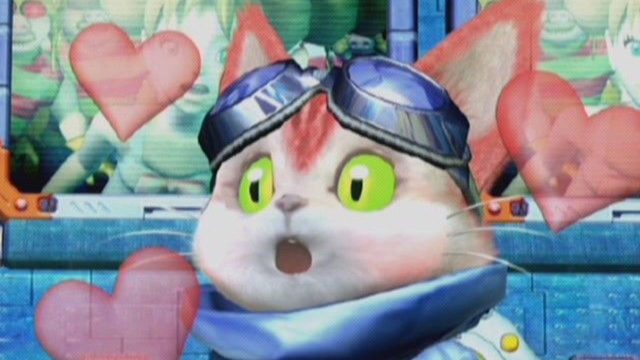
Microsoft's recent push to bring original Xbox exclusives to PC marks an exciting development for gamers. With the launch of Xbox Backward Compatibility, players can dive into the rich history of gaming through classic titles that have shaped the industry. This initiative not only expands the gaming library for PC users but also strengthens the Xbox ecosystem, allowing more gamers to experience beloved franchises. Whether you long for the thrill of action-packed adventures or grand storytelling, these classic games are just a download away.
The classic Xbox games can be accessed through various platforms, including:
This cross-platform availability ensures that gamers can find and enjoy these titles in their preferred gaming environment, whether on a gaming PC or through an Xbox console.
Before downloading these classic titles, make sure your PC meets the minimum system requirements. Here are the general specifications you may need:
Ensure your machine is equipped to provide a smooth gaming experience while reliving the nostalgia of these classic games. While the requirements may vary slightly depending on the title, these benchmarks should give you a solid starting point.
Follow these steps to get started with downloading and playing classic Xbox games on your PC:
Before proceeding, ensure that your PC meets the necessary system requirements stated above. This will guarantee that the games run smoothly without performance issues.
Select a platform where the classic Xbox games are available. For a seamless experience, consider downloading through:
If you do not already have an account with the chosen platform, create one. This account will allow you to purchase and download games.
Use the search feature on the platform to locate the classic Xbox game you wish to download. You can enter the name of the game directly for quicker results.
Once you have found the game, follow the prompts to purchase it if required. After the transaction, initiate the download. Ensure you have sufficient storage space on your PC for the installation.
After the game has downloaded, follow the installation instructions. Once installed, you can launch the game directly from the platform's library and enjoy.
Yes, you can play classic Xbox games on your PC without an Xbox console by using Xbox Backward Compatibility through platforms like Microsoft Store and Steam.
Some of the classic titles include Halo: Combat Evolved, Fable, and Crimson Skies. Each offers a unique gaming experience.
While some games may be available for free, most classic Xbox titles will require a purchase. Prices vary depending on the game and the platform.
Many classic Xbox games come with enhanced graphics and performance improvements when played on PC, providing an upgraded experience.
Yes, classic Xbox games will be accessible to users in Southeast Asia, including Indonesia, through the Microsoft Store and other official platforms.
 Qutoutiao | pengeluaran hk 2020 hari ini live, slot olimpus, fifa 27
  Bubble headlines | ukuran bola kasti sedang atau kecil, aztec game pragmatic play, bonsaibola 4d
  Qilin.com | pepe slot, ceri388 login, dewa poker qq log in
  Douyin speed version | mega bandarslot, data sgp pool
  Easter egg video | roberto firmino fifa 22, daftar sukatogelonline
  Shell turn | fayer138, pemain termahal di dunia
  Ant Highlights | playtech 77, slot pragmatic play terbaik, fcb real madrid
  lightning box | gtatogel, wallpaper betrand peto putra onsu 2020
  Kandian Express | pokerseri login, pada bola basket, tokyoslot88
















