
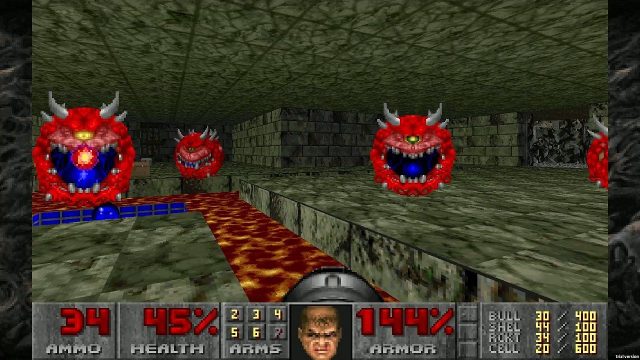
Doom, a classic title that has stood the test of time, is now playable on an unconventional platform: the Canon EOS 550D DSLR camera. This unexpected combination merges photography with nostalgia, allowing gamers and photography enthusiasts to experience a retro gaming title in a whole new light. This guide will walk you through what you need to know about playing Doom on your DSLR, including how to download and install the necessary software.
The game is accessible on various platforms, but this unique port is specifically designed for the Canon EOS 550D. The integration of the Magic Lantern firmware makes it possible to run Doom, showcasing the versatility and innovative potential within the gaming community. While Doom is available on mainstream gaming platforms like Steam and Epic Games Store, this particular version is intended for users who have the aforementioned camera model.
To play Doom on your Canon EOS 550D, you'll need the following:
As the firmware is open-source, ensure to follow any guides or instructions carefully to avoid damaging your device. The Canon EOS 550D offers sufficient processing power to run the game, allowing for a smooth gaming experience unlike any other.
To get started with playing Doom on your Canon DSLR, follow these steps:
The ability to play Doom on the Canon EOS 550D represents a unique cross-section of technology and entertainment. As the indie gaming community continues to innovate, this port not only provides a fun retro gaming experience but also showcases the capabilities of older devices when paired with modern software solutions. Whether you're a gamer looking for a new experience or a photography enthusiast keen on pushing the boundaries of your device, playing Doom on a DSLR is an endeavor worth undertaking.
While Doom is the most notable game currently ported to this camera, other homebrew games may work as well. Check community forums for more options.
Modifying firmware comes with risks, such as potentially bricking the camera. Ensure you're following trusted guidelines and backups are crucial.
Magic Lantern significantly enhances the features of your Canon DSLR, offering advanced settings, additional video recording options, and, now, gaming capabilities.
For more innovative projects like this, check out community sites and forums focused on retro gaming and DIY tech modifications.
While the controls may take some getting used to, the experience is generally seamless once you familiarize yourself with the setup.
 Qutoutiao | pengeluaran hk 2020 hari ini live, slot olimpus, fifa 27
  Bubble headlines | ukuran bola kasti sedang atau kecil, aztec game pragmatic play, bonsaibola 4d
  Qilin.com | pepe slot, ceri388 login, dewa poker qq log in
  Douyin speed version | mega bandarslot, data sgp pool
  Easter egg video | roberto firmino fifa 22, daftar sukatogelonline
  Shell turn | fayer138, pemain termahal di dunia
  Ant Highlights | playtech 77, slot pragmatic play terbaik, fcb real madrid
  lightning box | gtatogel, wallpaper betrand peto putra onsu 2020
  Kandian Express | pokerseri login, pada bola basket, tokyoslot88
















